LG dishwasher repair is essential to avoid further damage and ensure efficient operation when your appliance encounters issues over time. When it comes to maintaining a functional kitchen, your LG dishwasher plays a crucial role in simplifying the dishwashing process. Recognizing when it needs attention is the first step toward quick resolution.
Signs of a malfunctioning dishwasher can range from unusual noises to inadequate cleaning performance. These symptoms often indicate underlying problems that require immediate attention. Ignoring these warning signs can lead to more significant repairs–and potentially higher costs–down the line.
In this article, we will explore common indicators that it’s time to schedule a service for your LG dishwasher. By identifying these signs early, you can take proactive steps to restore your appliance to its optimal condition and extend its lifespan. Don’t overlook the importance of timely maintenance and repair!
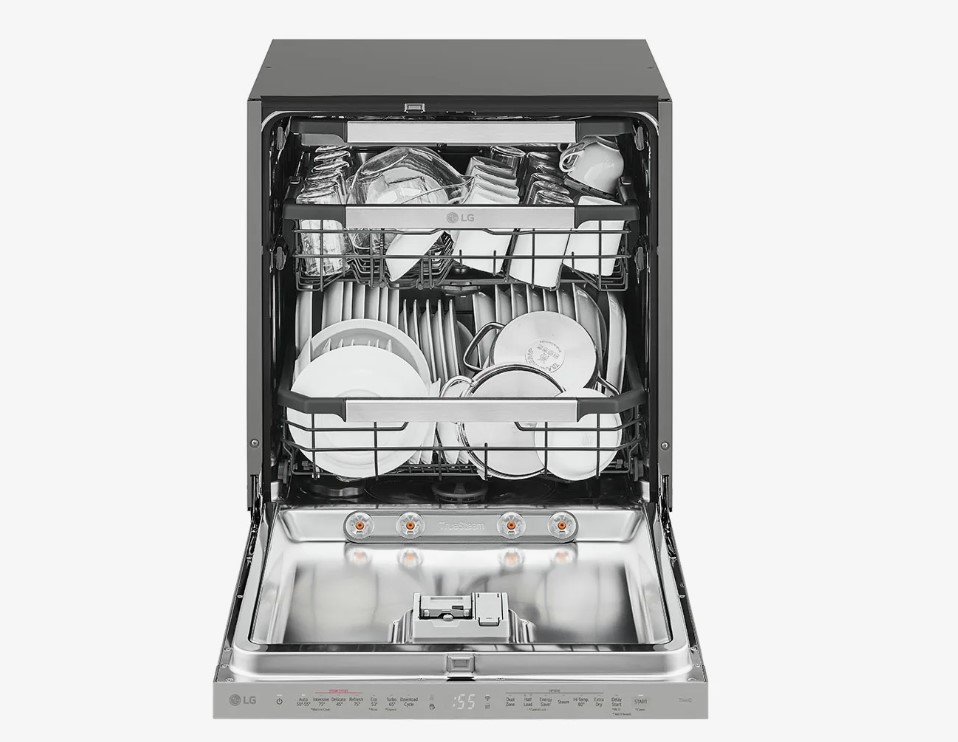
LG Dishwasher Repair: Signs Your Dishwasher Needs Service
Identifying the signs that your LG dishwasher requires service can prevent further damage and ensure optimal performance. Here are some key indicators that your appliance may need attention:
- Persistent Error Codes: If your dishwasher displays error codes frequently, it may indicate underlying issues that require professional diagnostics.
- Poor Cleaning Results: If dishes are not coming out clean or have residue left behind, it may suggest clogs in the spray arms or a malfunctioning detergent dispenser.
- Unusual Noises: Loud or strange sounds during operation, such as grinding or rattling, can signal a problem with the motor or other internal components.
- Water Leaks: Any signs of water pooling around the dishwasher or leaks under the appliance indicate a potential seal failure or blocked drain.
- Not Draining Properly: If water remains in the bottom of the dishwasher after a cycle, it could point to a clog in the drain hose or filter.
- Odors or Bad Smell: Unpleasant smells can arise from food debris buildup or stagnant water, indicating a need for cleaning or repairs.
- Slow Fill or No Water: If the dishwasher takes too long to fill, or there is no water at all, the inlet valve or water supply could be blocked or malfunctioning.
- Control Panel Issues: Non-responsive buttons or screens may suggest electrical problems or a failure in the control board.
If you notice any of these signs, consider scheduling a service appointment with a qualified technician to diagnose and repair your LG dishwasher. Proactive maintenance can extend the life of your appliance and enhance its efficiency.
Unusual Noises During Operation
Unusual noises coming from your LG dishwasher can be a clear indication that something is wrong. These noises, which may include banging, grinding, or high-pitched sounds, often signal mechanical issues that require immediate attention.
Banging or Clanging Sounds
If you hear banging or clanging noises, it could mean that items inside the dishwasher are not secured properly. Loose utensils or dishes may be rattling against each other or the dishwasher’s interior. However, if the noise persists after adjusting the load, there may be a problem with the spray arm or other components that are not functioning correctly.
Grinding or Humming Noises
Grinding or humming sounds can indicate a malfunctioning motor or pump. These components are essential for proper water circulation. If the noise is accompanied by poor cleaning results or water pooling at the bottom, it is crucial to cease operation and contact a professional for service. Prompt attention can prevent further damage to your appliance.
Water Not Draining Properly
If your LG dishwasher is not draining properly, it can lead to standing water at the bottom of the appliance, which is not only inconvenient but can also cause unpleasant odors and promote bacterial growth. It is crucial to identify the signs of drainage issues early to prevent further complications.
One common reason for poor drainage is a clogged drain filter. The filter traps food particles and debris, and if it becomes too clogged, it can restrict water flow. Regularly cleaning the drain filter can help ensure proper drainage.
Another potential issue could be a blocked drain hose. Over time, the hose may accumulate buildup or kinks that inhibit water flow. Inspecting the hose for obstructions and ensuring it is properly positioned can resolve drainage problems.
If the drain pump is malfunctioning, it may not be able to push the water out effectively. Listen for unusual sounds during the draining cycle; a humming or grinding noise might indicate that the pump needs repair or replacement.
Additionally, check for any issues with the sink drain connection. If the dishwasher’s drain is connected to a high-loop, but the local plumbing is clogged, it may cause backflow, leading to drainage problems in the dishwasher itself.
| Sign of Problem | Possible Cause | Recommended Action |
|---|---|---|
| Standing water in the bottom | Clogged drain filter | Clean the filter regularly |
| No water draining during cycle | Blocked drain hose | Check and clear any obstructions |
| Unusual noises during draining | Malfunctioning drain pump | Inspect and possibly replace the pump |
| Water backing up into the dishwasher | Issue with sink drain connection | Check for clogs in local plumbing |
In summary, if your LG dishwasher is not draining properly, inspecting the drain filter, hose, pump, and sink connections can help identify the issue. If basic troubleshooting does not resolve the problem, it may be necessary to seek professional service to ensure your dishwasher operates efficiently.
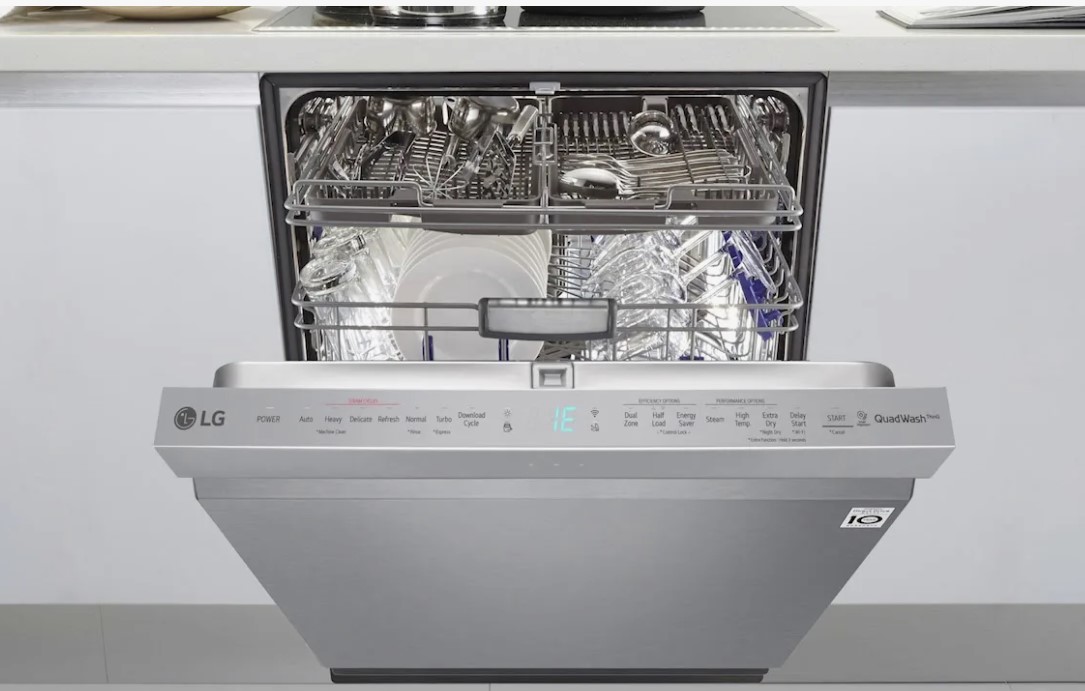
Dishes Not Coming Out Clean
If your LG dishwasher is failing to clean dishes effectively, it is a sign that something may be wrong. This issue can manifest in several ways, such as food particles remaining on plates or a cloudy residue on glasses.
First, check the filter. A clogged filter can severely impact cleaning performance. Remove the filter and clean it thoroughly under running water to eliminate trapped debris. Ensure it is correctly reassembled before running a cycle.
Examine the spray arms for blockages. The arms should rotate freely and should not have any food particles or grease lodged in their nozzles. Clean any obstructions to ensure proper water distribution during the wash cycle.
Inspect the water temperature. For optimal cleaning, water should typically be heated to at least 120°F (49°C). If the water is not hot enough, the detergent will not dissolve properly, leading to unsatisfactory results. Consider running your hot water faucet before starting the dishwasher to ensure hot water is available.
Check the amount and type of detergent you are using. Using the correct detergent and the right amount is crucial for effective cleaning. Overloading the dishwasher can also prevent water from reaching all surfaces of the dishes.
Lastly, evaluate the loading technique. Dishes should be loaded according to the manufacturer’s guidelines, allowing proper water flow and access to all items. Avoid blocking the spray arms with large platters or dishes.
By addressing these factors, you can improve your LG dishwasher’s performance and ensure your dishes come out clean every time.
Leaking Water from the Dishwasher
A leaking dishwasher can lead to significant water damage, mold growth, and costly repairs if not addressed promptly. Identifying the source of the leak is crucial for effective service. Common areas where leaks may occur include the door, hoses, and the pump. Regular maintenance can help prevent these issues.
| Potential Causes | Signs of a Leak | Recommended Action |
|---|---|---|
| Worn Door Gasket | Water pooling around the base of the dishwasher | Inspect and replace the door gasket if damaged |
| Loose or Damaged Hoses | Water dripping from the sides of the appliance | Check for loose connections and replace damaged hoses |
| Clogged Filters | Water not draining properly; overflows | Clean or replace filters regularly to ensure proper drainage |
| Faulty Pump | Unusual noises during the wash cycle | Have a technician inspect and, if necessary, replace the pump |
To minimize the risk of leaks, ensure that your dishwasher is level and verify that all connections are secure. Regular inspections can help catch potential issues before they escalate, saving you both time and money.
Faulty Door Latch or Seal
A dishwasher’s door latch and seal are crucial components that ensure proper operation. If your LG dishwasher is not cleaning dishes effectively, a faulty door latch or seal could be the cause. A damaged or worn seal may allow water to leak during a wash cycle, leading to poor performance and potential water damage to your kitchen.
Inspect the door latch for any signs of wear or misalignment. If the latch does not secure the door tightly, the dishwasher may fail to start, or it may interrupt the cycle mid-way. This misalignment can be caused by debris buildup, damaging impact, or general wear and tear over time.
The door seal, often made of rubber or silicone, is designed to create a watertight barrier. Inspect it for cracks, tears, or material degradation. A compromised seal not only causes leaks but also affects the spray pattern, resulting in uneven cleaning. If you notice any irregularities, it might be time for a replacement to restore optimal functionality.
Regularly checking these components can prevent larger issues from developing. If you suspect problems with the door latch or seal, it’s advisable to consult a professional technician to ensure proper installation and functionality. Early intervention can save you from more extensive repairs down the line.
Error Codes Displayed on the Control Panel
LG dishwashers are equipped with a variety of error codes that indicate specific issues needing attention. Understanding these codes is crucial for diagnosing problems effectively and determining whether a professional repair is necessary. The control panel displays various alphanumeric codes, each representing a particular malfunction.
Common error codes include:
- IE: This code signifies a water supply issue. It may be caused by a blocked inlet valve, kinked hose, or closed shut-off valve.
- OE: An overflow error indicates that the machine is detecting excessive water in the tub. This may be due to a clogged drain filter, a malfunctioning drain pump, or leaks in the system.
- LE: The LE code points to a problem with the motor or the door latch. It may suggest that the door is not sealing properly or that there is an electrical fault in the motor system.
- HE: When the HE code is displayed, it indicates a heating element failure. This prevents the dishwasher from reaching the necessary temperatures for effective cleaning.
- FF: This error denotes a failure in the fan system, often linked to issues with the drying cycle or air circulation within the machine.
When you encounter any of these error codes, it is important to consult your dishwasher’s user manual for specific troubleshooting steps tailored to your model. Performing regular maintenance can help prevent these issues from occurring and ensure optimal performance.
If the error persists after following the suggested troubleshooting methods, it may be time to contact a qualified technician for further assessment and repair.
Dishwasher Not Starting or Stopping Mid-Cycle
If your LG dishwasher is not starting or suddenly stops mid-cycle, it can be frustrating. Several issues could be causing this problem, and identifying them early can help prevent further damage.
Common reasons for a dishwasher not starting include:
- Power Supply Issues: Check if the dishwasher is plugged in properly and that the circuit breaker hasn’t tripped.
- Door Latch Problems: Ensure the door is securely closed. A malfunctioning door latch can prevent operation.
- Faulty Control Board: The electronic control board may be defective, disrupting the dishwasher’s operations.
- Water Supply Issues: Verify that the water supply valve is open and that there are no kinks in the inlet hose.
For dishwashers that stop mid-cycle:
- Overheating: The dishwasher may stop if it overheats. This could be due to a malfunctioning thermostat or high-limit switch.
- Clogged Filters: Blockages in the filter may prevent proper water flow, causing the cycle to halt.
- Faulty Pump: If the drain pump is blocked or broken, it can stop the wash cycle unexpectedly.
- Sensor Malfunctions: Issues with any of the sensors that monitor wash conditions can lead to an interruption in operation.
Immediate actions you can take include:
- Check the power source and ensure the door is latched correctly.
- Inspect for clogs in filters and drains.
- Reset the dishwasher by unplugging it for a few minutes and plugging it back in.
- Consult the user manual for troubleshooting specific error codes.
If these steps do not resolve the issue, it’s advisable to contact a professional repair service for further assistance. A timely diagnosis can help restore your dishwasher and extend its lifespan.
Unpleasant Odors Emitting from the Unit
Unpleasant odors coming from your LG dishwasher can indicate various underlying issues that require immediate attention. Ignoring these odors could lead to more significant problems and may even affect the efficiency of your appliance.
Common Causes of Unpleasant Odors
- Food Particles: Residue from previous loads can accumulate in the filter, spray arms, or drains, causing foul smells.
- Standing Water: Water left in the bottom of the tub or in the filter can become stagnant over time, leading to a musty odor.
- Mold and Mildew: A moist environment inside the dishwasher can promote the growth of mold and mildew, contributing to unpleasant smells.
- Blocked Drainage System: Clogs in the drainage system can cause backups, resulting in odors due to food decomposition.
How to Address the Issue
- Clean the Filter: Remove and clean the filter to eliminate trapped food particles.
- Check for Standing Water: Inspect the bottom of the dishwasher for any stagnant water and address drainage issues.
- Run a Cleaning Cycle: Use dishwasher cleaning tablets or a mixture of vinegar and baking soda to perform a deep clean.
- Inspect Door Seals: Ensure that the door seals are intact, as damaged seals can lead to leaks and higher moisture levels.
If the odors persist after taking these steps, it may be time to consult a professional technician to diagnose and resolve more complicated issues. Timely service can extend the life of your appliance and maintain its efficiency.
Water Inlet Issues or Duplicate Fill Cycles
Water inlet problems can lead to inefficient dishwasher performance and may even cause damage if not addressed promptly. Recognizing the signs of these issues is essential for timely repair.
Common indicators of water inlet issues include:
- Insufficient Water Supply: If your dishwasher is not filling to the required level, it might indicate a malfunction at the water inlet valve.
- Unusual Noises: Grinding or hissing sounds during the filling phase can signal that the inlet valve is stuck or damaged.
- Water Leaks: Leakage around the inlet hose or valve can stem from a malfunctioning component.
- Error Codes: Some LG dishwashers display specific error codes when there’s a problem with the water inlet system.
Duplicate fill cycles, where the dishwasher fills multiple times during a single wash cycle, can also lead to inefficiency and potential water damage. Possible causes include:
- Faulty Float Switch: If the float switch is stuck or malfunctioning, the dishwasher may incorrectly signal for additional water.
- Clogged Filters: Dirty filters can restrict water flow, causing the unit to overcompensate by filling again.
- Control Board Issues: Malfunctions in the control board can lead to miscommunication, triggering unnecessary fill cycles.
To resolve water inlet issues or duplicate fill cycles, consider the following steps:
- Inspect the water inlet valve and check for clogs or damage.
- Examine the float switch for proper operation; ensure it moves freely.
- Clean or replace filters to allow optimal water flow.
- Consult a professional technician if the problem persists or if you encounter complex issues with the control board.
Timely attention to these issues will improve your dishwasher’s efficiency and longevity.
Check for Burnt or Damaged Electrical Components
Inspecting your LG dishwasher for burnt or damaged electrical components is essential when troubleshooting issues. This process helps ensure the appliance operates efficiently and safely. Start by unplugging the dishwasher to prevent any electrical shock during your inspection.
Look for signs of burnt wiring, which can include discoloration, melted insulation, or a burnt odor near the wiring harness. Pay special attention to connections and terminals where wires meet, as these areas are common failure points. If you identify any burnt wires, they should be replaced immediately to avoid further damage or possible fire hazards.
Next, examine the various electrical components within the dishwasher, such as the control board, switches, and motor. A damaged control board can lead to erratic behavior or complete failure of the unit. Signs of damage may include visible burn marks, broken solder joints, or malfunctioning buttons. If necessary, replace the control board with a compatible unit for your specific model.
Additionally, check the door latch and door switch for any signs of wear or damage. If the door does not engage properly during operation, it could prevent the dishwasher from starting or completing its cycle. Test these components for continuity using a multimeter, as a faulty latch or switch can disrupt the overall functionality.
Completing this electrical inspection not only helps identify potential issues but also contributes to the longevity of your dishwasher. If you find significant damage or are unsure of how to proceed, contact a professional technician for a thorough inspection and repairs.
Discoloration or Damage to Tub Interior
The interior of your LG dishwasher plays a crucial role in its overall performance. A healthy tub should maintain its color and structural integrity, as any discoloration or damage can indicate underlying issues. If you notice unusual stains or a dull appearance in the tub, it may be a sign that food particles, hard water deposits, or mildew are present. These buildups can hinder the cleaning efficiency of your appliance, leading to poor washing results.
Common Causes of Discoloration
Discoloration can stem from several factors, including the use of abrasive cleaners or improper detergents that react negatively with the tub’s material. Additionally, prolonged exposure to high temperatures or corrosive substances can cause fading or yellowing. It’s essential to identify the cause early on to prevent further damage and maintain optimal cleaning performance.
Signs of Damage
Visible cracks, chips, or rust spots within the tub are clear indicators of damage that warrant immediate attention. Such issues not only compromise the efficiency of your dishwasher but also pose risks of leaks and water damage to your kitchen. If any physical damage is observed, schedule a service appointment with a qualified technician to assess the situation and determine necessary repairs or replacements.
Inconsistent Drying Performance
Inconsistent drying performance in your LG dishwasher can be a major inconvenience, leaving you with dishes that are often wet or spotty after a cycle. Several factors can contribute to this issue, and identifying them promptly can help you maintain optimal performance.
Common Causes
One of the primary reasons for inconsistent drying is the incorrect use of rinse aid. If the rinse aid dispenser is empty or not functioning properly, it can lead to water spots and lingering moisture on your dishes. Additionally, the dishwasher’s heating element may be malfunctioning, affecting its ability to dry effectively. A faulty thermistor or thermostat can also disrupt the drying cycle, leading to inadequate heat at the end of the wash.
Maintenance Tips
Regular maintenance can help improve drying performance. Ensure that the heating element is clean and undamaged, and inspect the spray arms for blockages that could hinder water circulation. Ensure that your dishwasher is loaded correctly to allow for optimal airflow and drying. If you’ve tried these solutions and your dishes consistently remain wet, it may be time to consult with a professional service to diagnose and resolve the underlying issue.
Q&A – LG dishwasher repair:
What are the common signs that my LG dishwasher needs service?
There are several indicators that your LG dishwasher may require maintenance. If you notice a persistent leak, unusual noises during operation, or if the dishes are not coming out clean, these could signal underlying issues. Additionally, if the dishwasher fails to start or respond to settings, it’s advisable to seek professional help to diagnose the problem.
How can I tell if the drain is clogged in my dishwasher?
If your LG dishwasher is not draining properly, you may see standing water at the bottom after a cycle. Signs of a clogged drain may also include bad odors coming from the appliance or water backing up into the filter area. Inspecting the drain hose for any blockages or kinks can help identify the issue. If this does not resolve the problem, service may be needed.
Why is my LG dishwasher making strange noises?
Strange noises from your dishwasher can indicate various problems. If you hear grinding, rattling, or banging sounds, this might be due to loose or foreign objects in the appliance, such as utensils or debris in the spray arm. However, if these noises persist even after removing potential blockages, it may point to mechanical issues, necessitating a technician’s assessment.
What should I do if dishes are not drying properly in my dishwasher?
If your dishes are still wet after a cycle, check to see if the rinse aid dispenser is empty or if the rinse aid function is not set correctly. Additionally, ensure that the dishwasher’s heating element is functioning; if it’s not heating properly, it won’t effectively dry the dishes. If these adjustments do not improve the situation, the problem may be more complex, and it might be time to consult with a repair professional.
How often should I service my LG dishwasher for optimal performance?
Regular maintenance can help prolong the life of your dishwasher. It’s a good idea to perform a basic check every six months, which includes cleaning the filter and inspecting the spray arms for clogs. A more thorough professional service is recommended every one to two years, depending on usage and water quality, to ensure all components are functioning properly and to prevent major issues down the line.
What are the common signs that indicate my LG dishwasher needs repair?
There are several signs that might suggest your LG dishwasher is in need of service. One of the most common issues is the presence of unusual noises during its operation, such as grinding or banging sounds, which could indicate a problem with the motor or the spray arm. Another sign is if the dishwasher fails to properly clean dishes, leaving food particles or residues behind. Additionally, if you notice water pooling at the bottom of the machine or a persistent leak, these are clear indicators that something is wrong. Lastly, if the control panel is unresponsive or displays error codes, it’s time to seek professional help for repair.
How often should I have my LG dishwasher serviced to prevent issues?
It’s recommended to have your LG dishwasher serviced at least once a year to ensure it operates smoothly. Regular maintenance can help identify and address minor issues before they escalate into major problems. During the service, a technician can check components such as the filters, spray arms, and seals to ensure they are clean and functioning properly. Additionally, if you notice any irregularities in the dishwasher’s performance, it’s wise to schedule a service appointment sooner rather than later. This proactive approach can extend the lifespan of your appliance and keep it running efficiently.
Looking for trusted APPLIANCE REPAIR in San Jose for you? Our certified technicians offer fast, affordable, and reliable fixes for all your home appliances — because your time and comfort matter most!