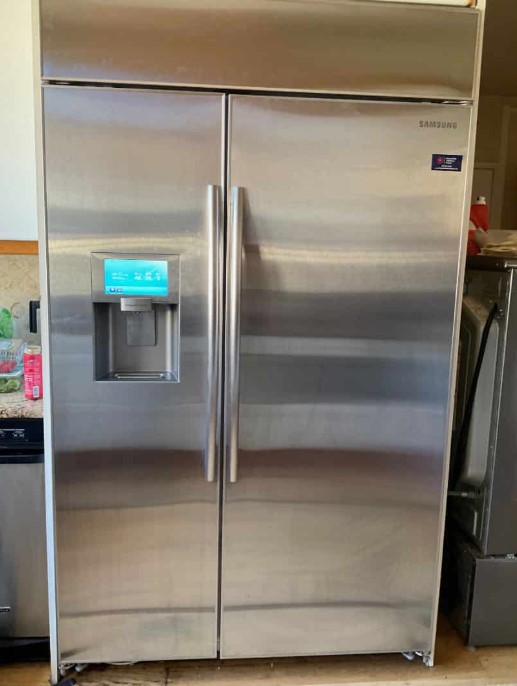
Samsung Fridge Repair services you can trust — our expert technicians quickly diagnose and fix any issues to keep your appliance running smoothly. Samsung refrigerators are renowned for their innovative technology and reliability. However, even the best appliances can encounter issues over time, particularly with cooling performance. Many users face common problems such as insufficient cooling, inconsistent temperatures, or complete cooling failure. Understanding these issues is the first step towards effective troubleshooting and repair.
Recognizing the signs of cooling problems in your Samsung fridge is crucial for timely intervention. Factors such as a faulty compressor, a blocked condenser, or issues with door seals can significantly impact your refrigerator’s efficiency. In this article, we will explore these common cooling problems in detail, providing practical solutions that you can implement yourself.
When you experience a cooling issue, it is essential to assess the situation methodically. Gathering information on the symptoms your fridge exhibits can help pinpoint the root cause. With the right knowledge and tools, many cooling problems can be addressed without the need for professional assistance, saving you time and money.
Samsung Fridge Repair for Common Cooling Problems
When facing cooling issues with your Samsung fridge, it’s essential to identify the root cause to determine the appropriate repair solution. Common problems include insufficient cooling, inconsistent temperatures, and ice buildup. Start by checking the temperature settings and ensuring that the vents inside the fridge are not blocked by food items. If the thermostat appears to be set correctly, a malfunctioning compressor or evaporator fan might be at fault. Listen for unusual sounds, as these can indicate a failing fan or compressor that requires immediate attention.
To diagnose and fix these issues, follow these steps:
- Inspect the condenser coils; clean them if they are dusty.
- Examine the door seals for any gaps or damage that may cause air leaks.
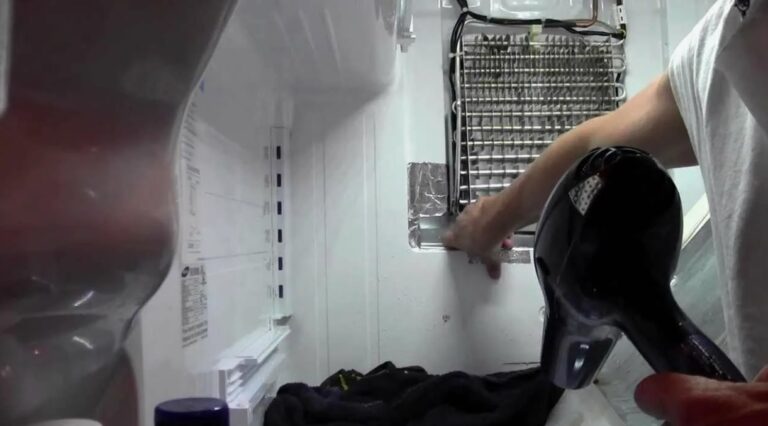
- Check the defrost timer and heater for functionality.
- Monitor the refrigerant levels, as low levels can affect cooling performance.
If these basic troubleshooting steps do not resolve the problem, it is advisable to consult a professional technician to perform a detailed examination and conduct repairs as necessary. Addressing cooling issues promptly can extend the lifespan of your appliance and maintain optimal food storage conditions.
Identifying Symptoms of Poor Cooling Performance
Recognizing the signs of inadequate cooling in your Samsung refrigerator is critical to preventing food spoilage and maintaining energy efficiency. The first symptom is usually an inconsistent temperature inside the unit. If your refrigerator is not maintaining a steady temperature, you might notice that some items are freezing while others are barely cool.
Common Indicators
- Condensation or Frost Build-Up: Excess moisture on the exterior or frost accumulation inside the freezer can indicate poor insulation or malfunctioning components.
- Unusual Noises: If you hear continuous running or unusual sounds coming from the fridge, it might be a sign of a failing compressor or fan.
- Odors: Bad smells can signify spoiled food or a problem with the cooling system, necessitating immediate attention.
Another common symptom is the failure to cool certain sections properly. If you notice that the produce drawer is warm while the upper shelves are colder, this may suggest a blocked air vent or an issue with the evaporator fan.
Monitoring Temperature
Regularly checking the temperature settings is essential. According to the FDA, the ideal temperature for refrigerators is 37°F (3°C), while the freezer should be set to 0°F (-18°C). If you find that these settings are not being met, it may be time to investigate further.
Timely identification of these symptoms can help you address cooling issues before they escalate. If you observe multiple indicators of poor performance, consider seeking professional assistance to diagnose and repair your Samsung refrigerator effectively.
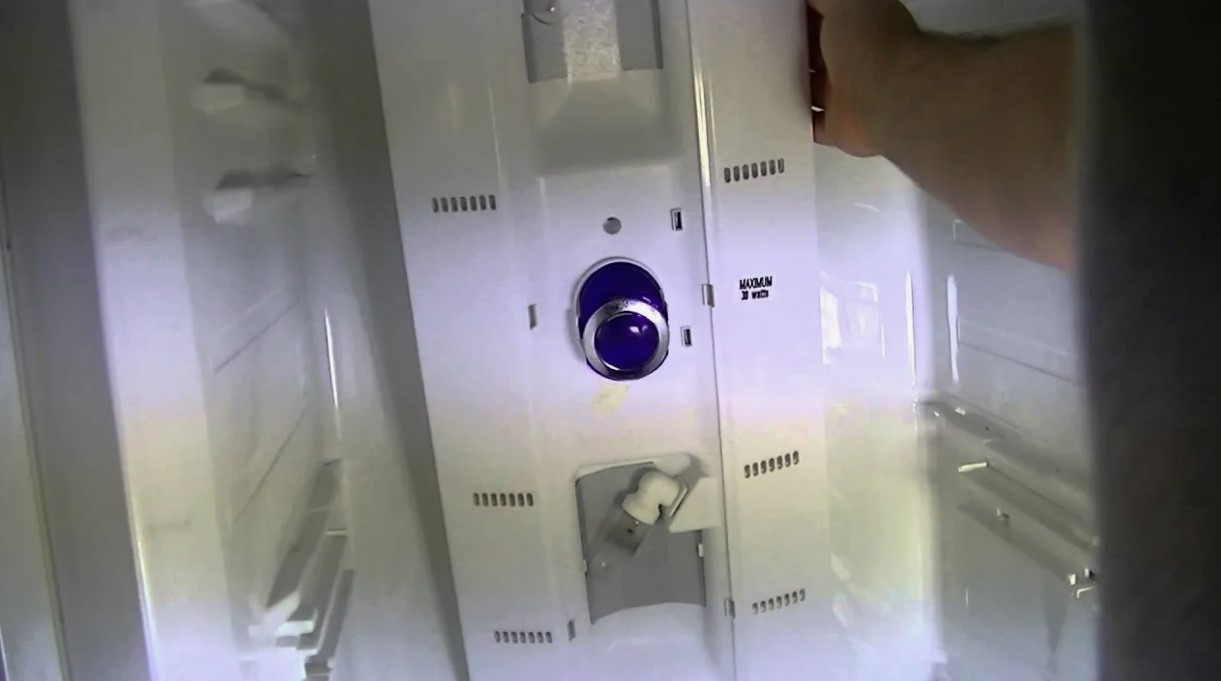
Checking the Temperature Settings on Your Samsung Fridge
Proper temperature settings are crucial for optimal performance and to prevent cooling issues in your Samsung fridge. To check the temperature, locate the control panel, which is usually found inside the fridge or on the front. Most Samsung models feature a digital display that shows current temperatures for both the fridge and the freezer compartments. Ideally, the refrigerator should be set between 37°F (3°C) and 40°F (4°C) while the freezer should be at 0°F (-18°C). If the settings differ from these recommendations, adjust them accordingly and allow the fridge some time to stabilize before checking again.
Understanding the Impact of Temperature Settings
Inadequate temperature settings can lead to food spoilage or frost buildup, greatly affecting your fridge’s functionality. If you notice that your food isn’t staying fresh or ice is forming within the freezer, re-evaluating the temperature settings should be your first step. It’s also advisable to check for any obstructions around the vents that might impair airflow, as this can make it seem like the fridge temperature is off. Regularly monitoring your fridge’s temperature not only ensures better food preservation but also enhances the appliance’s overall efficiency.
Inspecting the Door Seals for Air Leaks
The door seals of a Samsung refrigerator play a crucial role in maintaining optimal cooling performance. Air leaks can lead to increased energy consumption and inadequate cooling, which may cause food spoilage. Therefore, inspecting and maintaining the integrity of the door seals is essential for ensuring efficient operation.
Identifying Signs of Wear
To begin the inspection, check for visible signs of wear on the door seals. Look for cracks, tears, or areas that appear to be damaged. Over time, seals can become brittle or lose their elasticity, making them less effective at creating a tight seal. This visual inspection is a crucial first step in identifying potential air leaks.
Another method to test the seals is the «dollar bill test.» Close the refrigerator door on a dollar bill and try to pull it out. If it slides out easily, the seal may not be functioning properly. This simple test can provide a clear indication of whether the seals are tight or if they’re allowing air to escape.
Cleaning and Maintenance
In many cases, door seals can be maintained with regular cleaning. Food particles and debris can accumulate around the seals, preventing them from closing tightly. Use a mixture of warm water and mild soap to gently clean the seals, ensuring they remain flexible and free from obstructions. Rinse and dry them thoroughly afterwards.
If you identify any damage during your inspection, replacing the seals might be necessary. Samsung provides replacement seals that are designed to fit specific refrigerator models, ensuring optimal performance when installed properly. Refer to your owner’s manual for the correct part number and replacement instructions.
| Seal Condition | Action Required |
|---|---|
| No visible damage | Clean and monitor regularly |
| Minor wear or dirt | Clean and test with dollar bill |
| Visible damage or tears | Replace seal |
Regular inspections of the door seals can prevent significant cooling problems in your Samsung refrigerator. By identifying any issues early and addressing them promptly, you can ensure effective operation and longevity of your appliance.
Cleaning the Condenser Coils for Better Heat Exchange
The condenser coils in your Samsung fridge play a crucial role in the cooling process by dissipating heat from the refrigerant. Over time, these coils can accumulate dust, dirt, and debris, hampering their efficiency and leading to inadequate cooling. Regular cleaning of the condenser coils is essential to ensure optimal heat exchange and maintain the refrigerator’s performance. Ideally, this maintenance should be performed every six months, or more frequently if the fridge is placed in a particularly dusty environment.
To clean the coils, first, unplug the refrigerator for safety. Locate the coils, which are usually found at the back or beneath the appliance. Use a vacuum cleaner with a brush attachment to gently remove any accumulated dirt. You can also use a coil cleaning brush to reach tight spaces and ensure that all debris is removed. After thoroughly cleaning the coils, plug the fridge back in and monitor its cooling performance to confirm improvement.
By keeping the condenser coils clean, you can help your Samsung fridge operate more efficiently, potentially reducing energy costs and extending its lifespan. Neglecting this simple maintenance task can lead to increased wear on the compressor and a significant risk of breakdowns. Therefore, incorporating coil cleaning into your regular fridge maintenance routine will yield long-term benefits for your appliance.
Examining the Evaporator Fan for Proper Operation
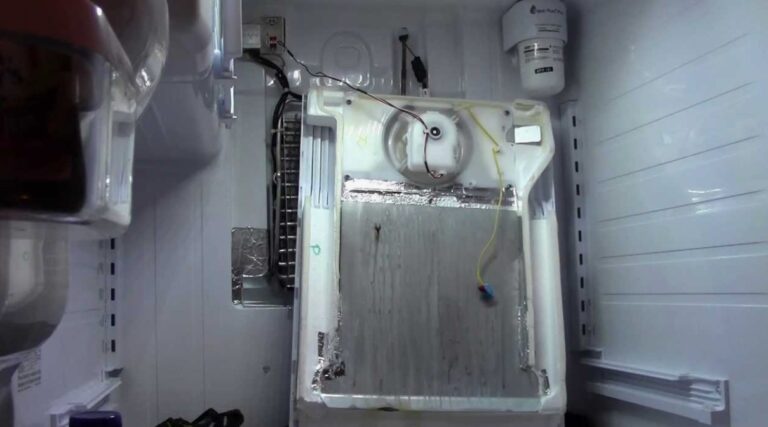
The evaporator fan plays a crucial role in the cooling process of your Samsung fridge. Located in the freezer compartment, this fan circulates cold air throughout the refrigerator, ensuring all areas maintain the desired temperature. When the fan malfunctions, it can lead to uneven cooling, spoiled food, and increased energy consumption. Regularly examining the fan can help identify issues before they escalate into significant problems.
Identifying Fan Issues
To determine if the evaporator fan is functioning correctly, listen for its operation when the refrigerator is running. If you hear unusual noises, such as grinding or clicking, it might signal a problem. Additionally, check the airflow inside the fridge; weak or inconsistent airflow can indicate that the fan is not spinning properly. In some cases, frost buildup around the fan or obstructions can hinder its performance, leading to inadequate cooling.
In order to access the evaporator fan, you may need to remove the back panel of the freezer compartment. Before doing this, ensure the fridge is unplugged to avoid any electrical hazards. Once exposed, inspect the fan blades for any ice accumulation or debris that may be obstructing its movement. Cleaning the fan and removing obstructions can often restore its functionality and efficiency.
Testing the Fan Motor
If the fan appears clean but still isn’t working, it may be a sign that the motor has failed. Using a multimeter, check the continuity of the fan motor to see if it is receiving power. If there’s no continuity, the motor needs to be replaced to restore proper airflow. Always refer to your user’s manual for specific instructions related to your Samsung model. Addressing evaporator fan issues promptly can significantly enhance your fridge’s cooling performance and longevity.
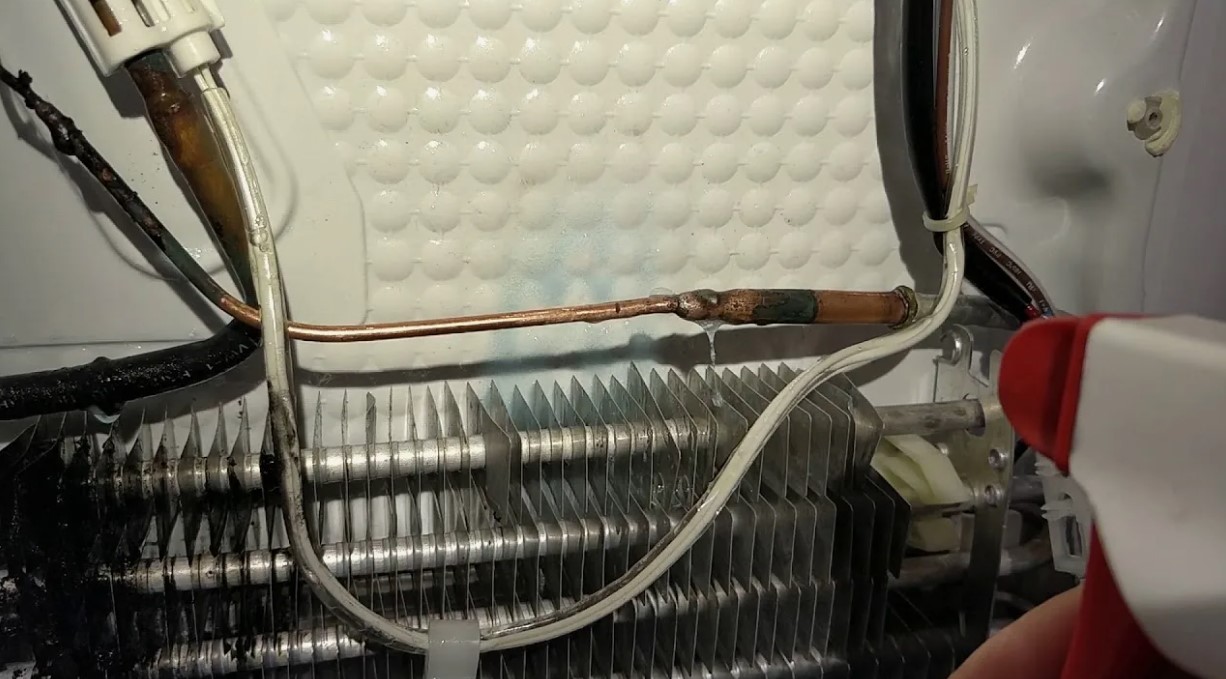
Troubleshooting the Thermostat Malfunction Issues
The thermostat in your Samsung fridge plays a crucial role in regulating the temperature inside the appliance. If you are experiencing cooling problems, the thermostat may be malfunctioning. To address this issue, start by checking the thermostat settings to ensure they are correctly configured.
Begin your troubleshooting by inspecting the temperature display. If it’s not showing the expected readings, verify that the thermostat is set to an appropriate level, typically between 37°F and 40°F (3°C and 4°C) for the refrigerator section. If the display is blank or malfunctioning, it may indicate a problem with the power supply or the thermostat itself.
- Ensure the fridge is plugged in.
- Check the circuit breaker for tripped switches.
- Examine the power cord for damage.
If power is confirmed, and settings are correct, listen for any unusual sounds coming from the thermostat or the fridge itself. Clicking or buzzing noises can suggest a faulty thermostat. In such cases, it is advisable to replace the thermostat to restore proper cooling functionality.
Another effective troubleshooting step is to ensure that the thermostat sensor is not obstructed by food items or ice buildup. Clear any obstructions, as they can lead to inaccurate temperature readings. Additionally, if ice makes contact with the sensor, it could cause the thermostat to misjudge the internal temperature.
- Unplug the fridge before inspecting the thermostat.
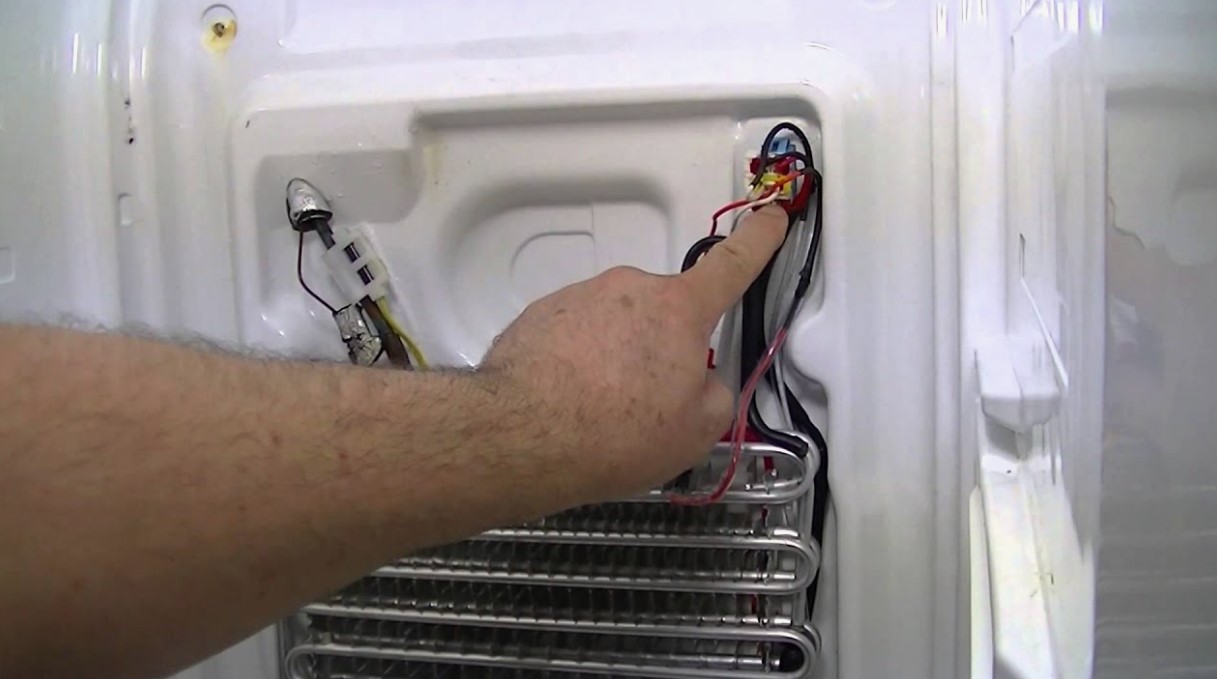
- Locate the thermostat, which is typically found near the evaporator coil.
- Carefully remove any debris or ice around the sensor.
If the thermostat seems to be functioning well, examine the entire cooling system, including the condenser coils and evaporator fan. Issues in these areas may also impact cooling efficiency, and addressing them may resolve the problems without the need for a thermostat replacement.
Assessing the Refrigerant Levels and Their Impact
Refrigerant levels play a crucial role in the efficiency of your Samsung fridge. An optimal amount of refrigerant is necessary for maintaining the desired temperature inside the refrigerator. Both excess and insufficient refrigerant can lead to inadequate cooling performance, resulting in food spoilage and increased energy consumption.
One of the first signs of low refrigerant levels is inconsistent cooling. If one section of your fridge is colder than another, it may indicate a refrigerant leak. Regular assessment of refrigerant levels can help identify these issues early, potentially preventing extensive damage to the cooling system and saving on expensive repairs.
High refrigerant levels can also create complications. This condition can lead to increased pressure within the system, causing components such as the compressor to work harder. Over time, this strain can lead to compressor failure, resulting in costly repairs and unexpected downtime for your refrigerator.
To assess refrigerant levels accurately, it’s essential to use the appropriate gauges and tools. A professional technician will typically check the pressure combined with temperature measurements to determine if the levels are within the manufacturer’s specified range. This process is crucial for diagnosing issues and ensuring that the fridge operates efficiently.
Regular maintenance, including checking the refrigerant levels, can significantly extend the lifespan of your Samsung fridge. Neglecting this aspect can lead to significant issues that may compromise the unit’s performance and reliability. Therefore, scheduling routine checks is vital for both the performance and longevity of your appliance.
If leaks are discovered during the assessment, immediate action is required. Properly sealing and recharging the system can restore the fridge to optimal working conditions. Ignoring the problem can exacerbate the situation, leading to more extensive damage and increased repair costs.
In conclusion, assessing refrigerant levels is an integral part of refrigerator maintenance. Understanding the implications of both low and high refrigerant levels helps in recognizing potential cooling problems early. Timely intervention can save money and enhance the overall efficiency of your Samsung fridge.
Understanding the Role of the Compressor in Cooling
The compressor is a vital component of your Samsung fridge’s cooling system. It functions as the heart of the refrigeration cycle, compressing refrigerant gas and allowing for effective heat exchange. By raising the pressure and temperature of the refrigerant, the compressor helps to initiate the cooling process within the fridge.
The refrigeration cycle consists of four main processes: compression, condensation, expansion, and evaporation. During the first stage, the compressor draws in low-pressure refrigerant gas from the evaporator coil. As it compresses this gas, it transforms it into high-pressure gas, which is then pushed into the condenser coils located at the back or bottom of the refrigerator.
- Condensation: The heated, high-pressure gas releases heat to the surroundings as it passes through the condenser coils, changing into a liquid state.
- Expansion: The liquid refrigerant then moves through an expansion valve, where its pressure drops significantly.
- Evaporation: The low-pressure liquid enters the evaporator coil, absorbing heat from the fridge interior and turning back into gas.
Each cycle maintained by the compressor is crucial for the overall efficiency of the cooling process. If the compressor malfunctions, the fridge may not achieve the desired temperature, resulting in warm food and wasted energy. Symptoms of a failing compressor can include unusual noises, overheating, or a failure to turn on altogether.
Regular checks and maintenance of your refrigerator can prolong the life of the compressor. Ensure that the coils are clean, and the appliance is not overfilled, as proper airflow is essential for the compressor’s operation. If problems persist, consider seeking professional repair services to diagnose and fix compressor-related issues.
In summary, the compressor plays an essential role in ensuring your Samsung fridge operates effectively. Understanding its functions can aid in troubleshooting cooling issues and maintaining your appliance’s efficiency.
Evaluating the Defrost Timer and Its Functionality
The defrost timer is a critical component in Samsung refrigerators, enabling automatic defrost cycles to prevent ice buildup. This mechanism operates on a set schedule, ensuring that frost accumulations in the evaporator coils are periodically melted away. A malfunctioning timer can lead to inadequate cooling or excessive frost, impacting the overall efficiency of the appliance.
To evaluate the defrost timer, it’s essential to understand its function within the refrigeration cycle. The timer works by switching the compressor on and off at specified intervals, allowing the defrost heater to activate during the defrost cycle. This process is crucial for maintaining consistent temperatures and effective cooling within the fridge and freezer compartments.
Common symptoms of a faulty defrost timer include excessive frost buildup, inconsistent temperatures, and strange operational noises. If you notice any of these issues, the defrost timer may be failing to operate correctly. A simple diagnostic test can often confirm whether the timer is functioning as intended.
Testing the defrost timer typically involves checking voltage at the timer terminals using a multimeter. If the timer fails to send voltage to the defrost heater during the cycle, it may be necessary to replace it. Additionally, observing the timing intervals can help determine if it adheres to its designated schedule. A timer that does not complete its cycle often indicates internal damage or wear.
Regular maintenance can aid in prolonging the life of the defrost timer. Periodically inspecting the timer for physical damage or loose connections can prevent future issues. Ensuring that the refrigerator’s airflow is unobstructed also supports the effective functioning of the defrost system, which in turn helps the timer to operate optimally.
If replacement is necessary, ensure you select the correct part model compatible with your Samsung fridge. Referencing the owner’s manual or consulting the manufacturer’s website can provide guidance on obtaining the right replacement timer. Proper installation following the manufacturer’s instructions is crucial to restore the refrigerator’s efficiency.
In conclusion, evaluating the defrost timer is vital for preventing cooling problems in Samsung refrigerators. Understanding its functionality and recognizing the signs of malfunction can lead to timely repairs, enhancing performance, and extending the appliance’s lifespan. Regular checks and maintenance are key factors in efficient refrigeration management.
Q&A: Samsung Fridge Repair for common cooling problems
What are the common signs that my Samsung fridge is not cooling properly?
Common signs that indicate your Samsung fridge may not be cooling as it should include a warm interior, food spoiling more quickly than usual, frost build-up in the freezer, or unusual noises coming from the unit. If you notice any of these issues, it is advisable to troubleshoot or seek professional repair services.
How can I troubleshoot my Samsung fridge if it’s not cooling adequately?
To troubleshoot your Samsung fridge, start by checking the thermostat settings to ensure they are set correctly. Inspect the condenser coils for dirt or dust buildup, as this can impede cooling. Make sure the fridge is not overcrowded, as this can restrict air circulation. If these steps do not resolve the issue, the problem may be more complex, needing professional help.
What are some possible causes for a Samsung fridge to stop cooling?
There are several potential causes for a Samsung fridge to lose its cooling function. These could include a malfunctioning compressor, a clogged defrost drain, a faulty thermostat, or problems with the evaporator or condenser fan. Each of these components plays a role in maintaining the desired temperature, so identifying the issue early can help prevent further damage.
Can I fix cooling issues in my Samsung fridge myself, or should I call a technician?
Some minor issues can be addressed by homeowners, such as cleaning the condenser coils or adjusting the thermostat. However, if the problem persists after these troubleshooting steps or if you are uncomfortable performing repairs, it is best to call a qualified technician. They can diagnose and repair more complex issues safely and effectively.
What maintenance tips can help prevent cooling problems in my Samsung fridge?
To help prevent cooling problems, regularly clean the condenser coils every six months to remove dust and debris. Ensure that the door seals are intact and clean to maintain proper temperature. Avoid overloading the fridge, as this can restrict airflow. Lastly, keep the fridge at the recommended temperature settings to ensure optimal performance and efficiency.
Don’t let broken appliances disrupt your life — trust expert Appliance Repair services for fast, reliable fixes that get your home back on track today!